
- Open your 3CX app
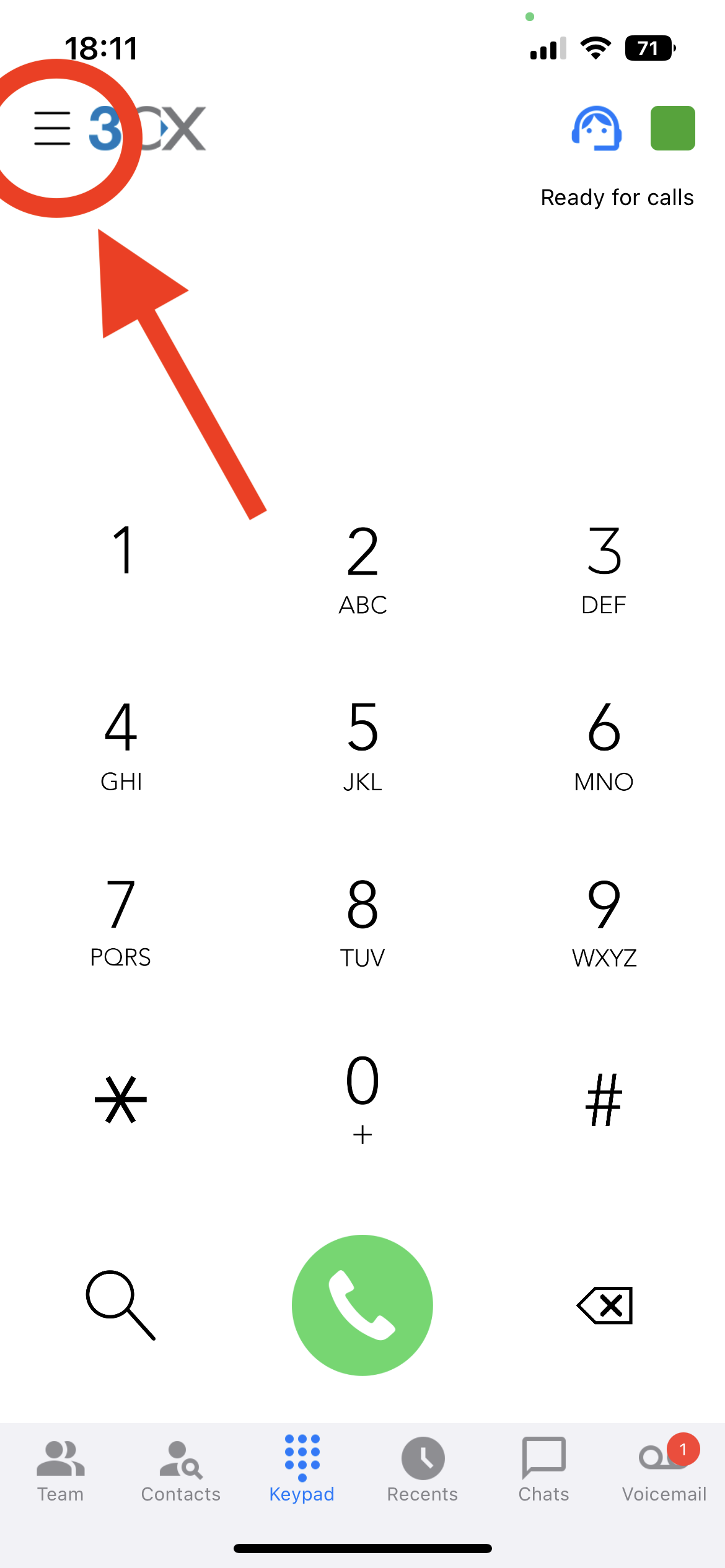
- Click the hamburger menu button in the top left of your screen.
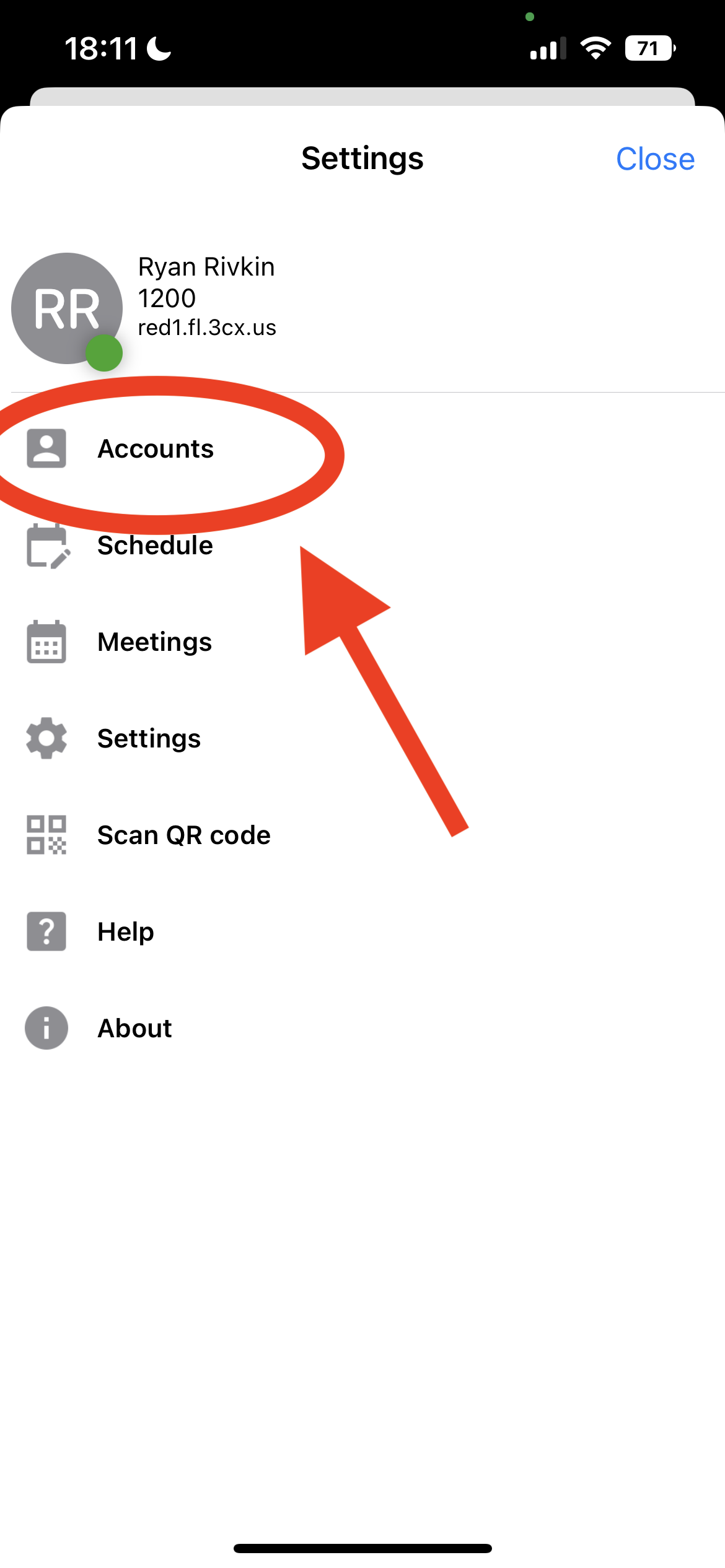
- Click on accounts
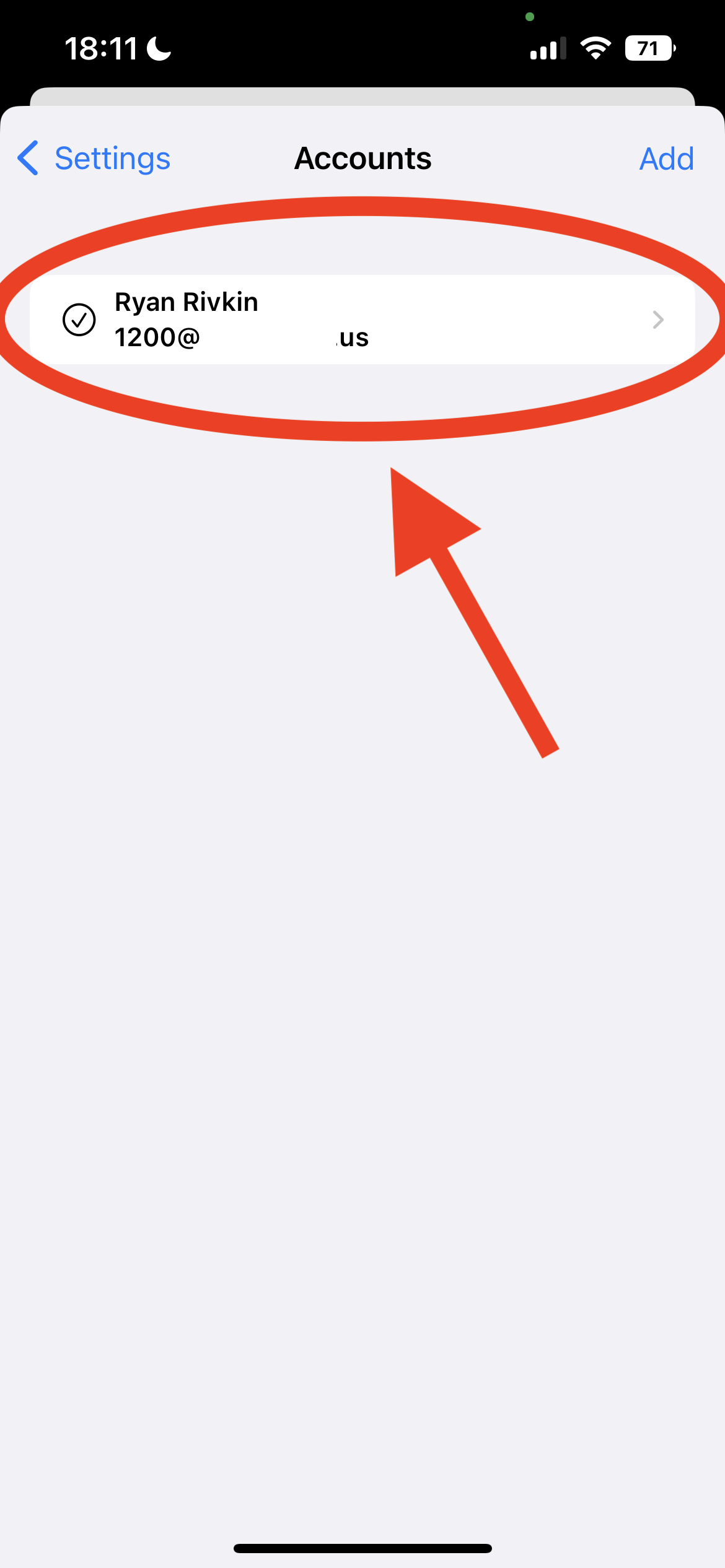
- Swipe right atop of the account you want to delete
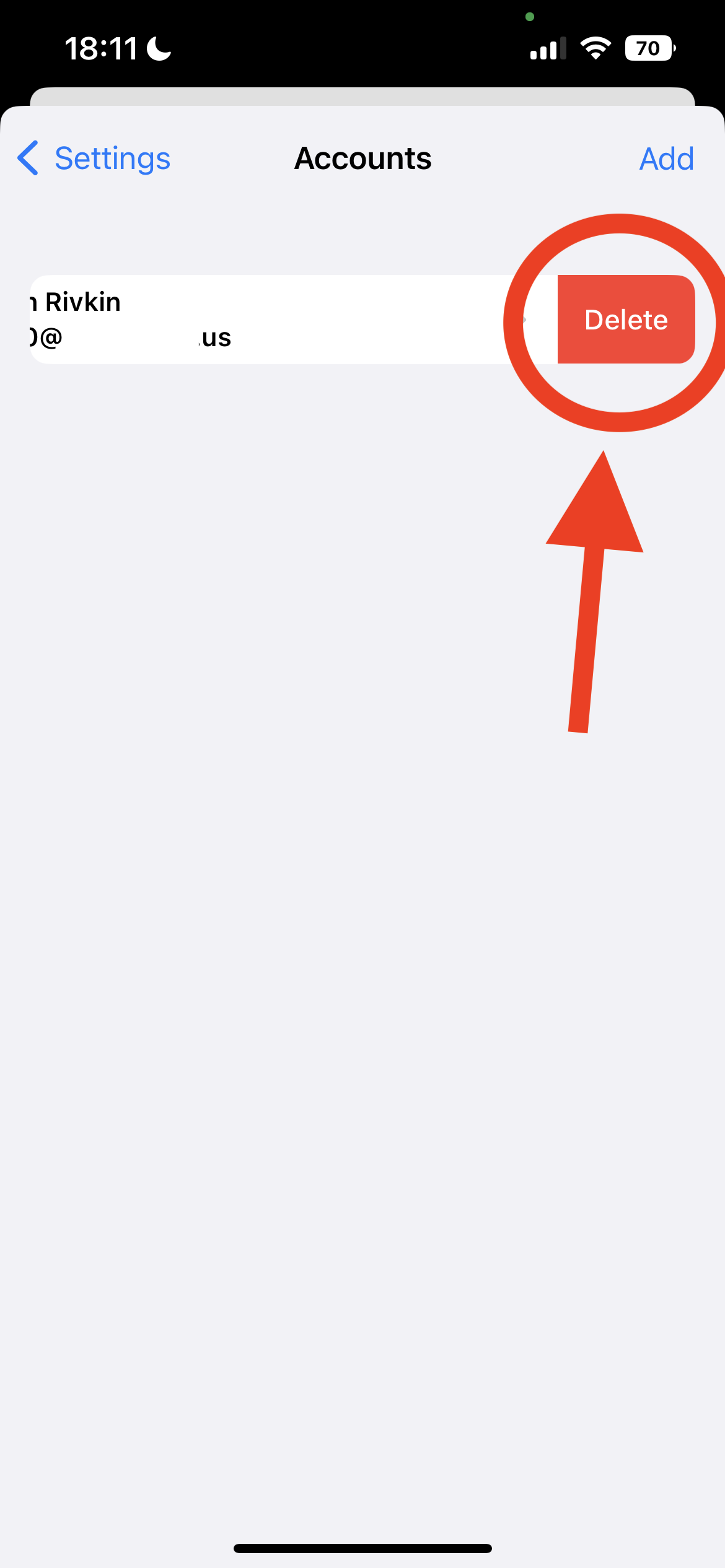
- Click on the red Delete button to delete the account
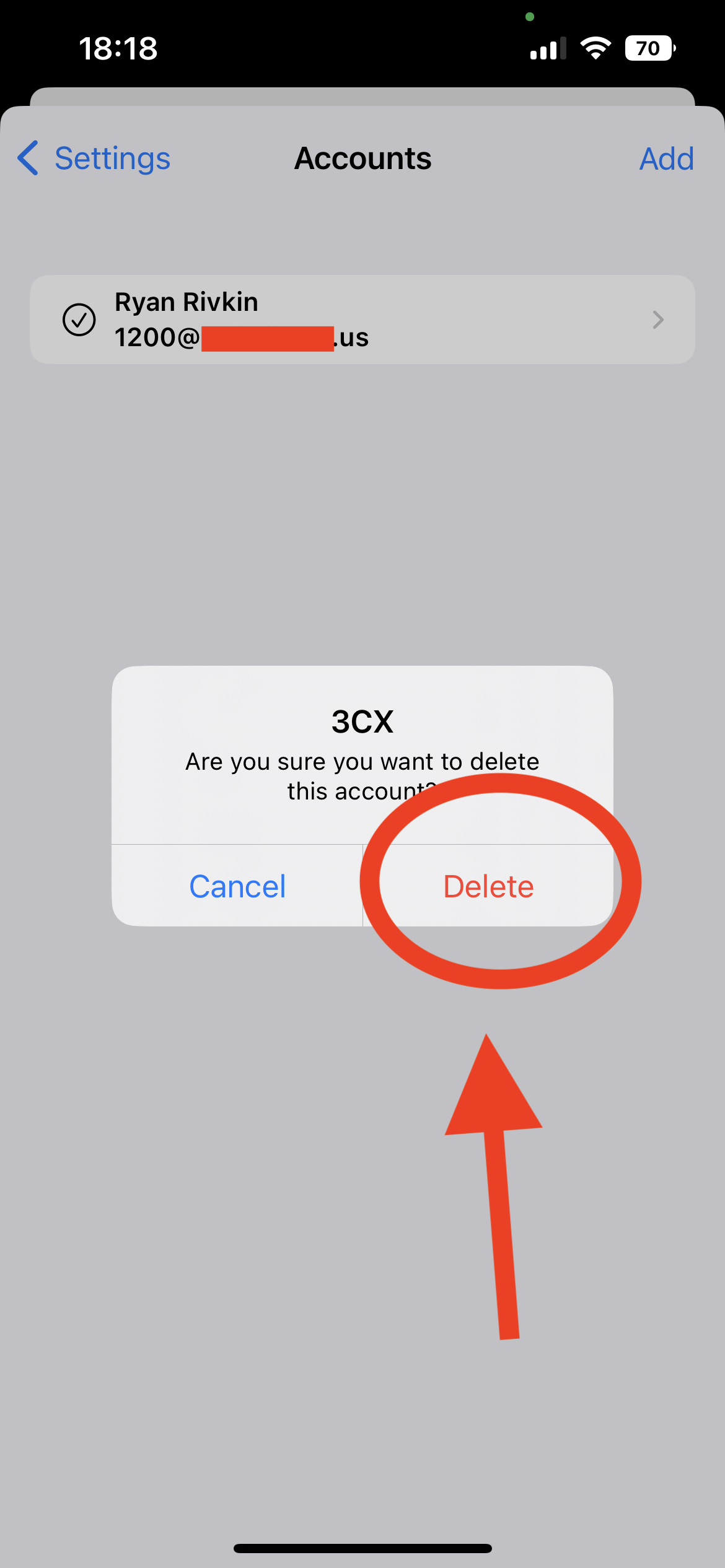
- On the final confirmation dialogue, click the red Delete button.
If this is the only remaining account, you will need to scan a new setup QR-Code to re-add service to your mobile device.
If you have more than one account on your device, another active account will automatically be chosen for you.